A / Hosted
We handle the setup.
You get to work.
We run the control plane and cloud account. Create a named box and make it your own.
Sign up for hosted See hosted pricingGive Claude Code, Codex, and your next big idea a place to keep working. Real Linux boxes. Persistent sessions. Ready when you return.
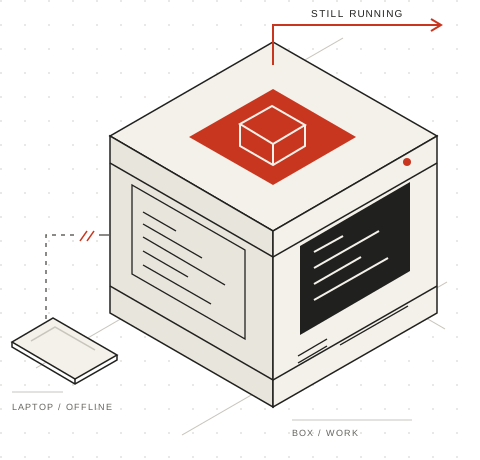
Start an agent on a named box. Leave it working in its own tmux session. Come back to the same files, tools, and history.
Log in, then create a box from your project directory. BoxHaven provisions the machine and syncs your project once.
Start Codex or Claude Code on the box, inside its managed tmux session. It runs on the remote machine.
Press Ctrl-b, then d to detach. Reconnect whenever you’re ready. Your session stays on the box.
# 01 — Log in and sync your project once
bh login
bh create work

# 02 — Start Codex on the box
bh run work codex

# 03 — Ctrl-b, then d to detach
# Come back to the same session
bh connect workNew here? Install the bh CLI first Already use Claude? Run bh run work claude.
A box is a full Linux machine with root access. Your files, installed tools, and agent session stay there when you disconnect. The laptop is how you get in. The box is where the work happens.
Meet your dev boxKeep the tools you know. Get a workspace that doesn’t depend on an open laptop.
Use your terminal, scp, rsync, or VS Code Remote SSH. Set up managed aliases once; connections use short-lived certificates.
bh ssh-config install
ssh bh-workThe box owns its copy after creation. Push local changes explicitly, or pull the box’s work back. Sync up mirrors deletions; sync down overwrites local files.
bh sync up work
bh sync down work --forceBoxHaven forwards recent local Claude and Codex sessions when you start those agents. Resume your Claude conversation on the box.
bh run work claude --continueShare boxes with owner, admin, and member roles. On hosted BoxHaven, share a running web app with its public preview URL.
Explore the documentationOne open-source project. Choose who runs the control plane.
No. The agent runs in the remote box’s managed tmux session. Detach with Ctrl-b, then d, and reconnect with bh connect work. Destroy the box when you are finished to stop compute charges.
No. Creating a box syncs your current project once. After that, bh run leaves the box’s files alone. Use bh sync up work to push local changes, including deletions, or bh sync down work --force to retrieve remote work and overwrite local files.
Yes. BoxHaven forwards selected local agent login files and recent Claude or Codex sessions for the project. Agent subscriptions and model API charges are separate from BoxHaven compute pricing.
Yes. The backend is open source under AGPL-3.0. Use your own DigitalOcean or Hetzner account, and operate the control plane yourself. Read the self-hosting guide.